Picking a channel name can stall a new channel for weeks. It feels permanent, it's the first thing people see, and every good idea seems to be taken. The good news is that a channel name matters less than the videos behind it, and you can change it later. The goal is a name that's easy to remember, easy to find and fits what you make.
This guide walks through a simple process for choosing one, and shows how our free Channel Name Generator can fill your shortlist in seconds.
What makes a good channel name
The channels people remember usually have names that are:
- Short. One to three words. Long names get cut off on phones and are harder to recall.
- Easy to say and spell. If you said it out loud on a podcast, could someone type it into search correctly? Unusual spellings, numbers and underscores make that harder.
- Linked to what you do or who you are. Either it hints at the topic ("Home Baker", "Retro Game Lab") or it's built around your own name ("Alex Bakes").
- Unique. Not the same as, or confusingly close to, a well-known channel or brand.
Topic name or personal name?
There are two main routes, and each has trade-offs.
A topic name like "Sourdough Lab" tells new viewers what to expect at a glance and can help in search. The downside is that it ties you to that topic. If you later want to make videos about travel or cooking in general, the name may feel too narrow.
A personal name like "Cooking with Alex" or just your own name gives you room to grow into any topic. It's often the best choice if you're the face of the channel. The downside is that it says less about what you make, so your thumbnails, banner and description need to do that work.
A popular middle path combines both: your name plus your niche, like "Alex Bakes" or "Sam Fixes Things".
Step 1: Brainstorm without judging
Write down every word linked to your channel: the topic, the style of your videos, words your audience uses, your name or nickname, inside jokes. Don't filter yet. Then try combining them.
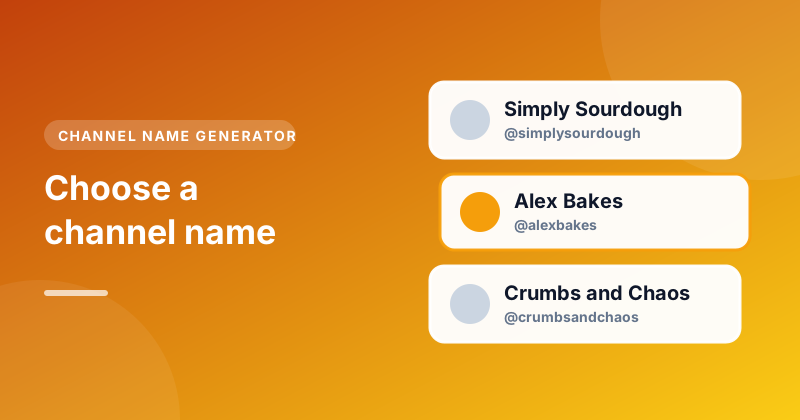
This is where the Channel Name Generator helps. Type what your channel is about, for example "baking" or "retro games", add your name or nickname if you'd like it in some ideas, then pick a style: Catchy, Professional, Fun, Gaming or Aesthetic. Press Generate channel names and you'll get a list of ideas, each with a matching @handle. Try a few styles to see different directions.
Step 2: Make a shortlist of five
From everything you've written and generated, pick the five you like most. Then put each one through these quick tests:
- The radio test. Say it out loud. Would someone hearing it be able to spell it?
- The phone test. Is it short enough to show in full under a video on a phone?
- The five-year test. Will you still be happy with it if your channel grows and changes?
- The search test. Search for it on YouTube and Google. Is there already a big channel or brand using it?
Step 3: Check the handle is free
Every channel also has a handle, the @username that's part of your channel's link, like youtube.com/@alexbakes. Handles must be unique across YouTube, so a name you love might have its matching handle taken already.
The generator shows a suggested handle with every idea. To check whether it's free, use our Username Generator: its Check button opens the handle on YouTube so you can see if a channel already has it. If the exact handle is taken, small changes like adding your niche ("@alexbakesbread") or a word like "official" or "hq" often work.
It's also worth checking the same name on any other social networks you plan to use, so people can find you everywhere with one name.
Step 4: Set it up
When you've chosen, open YouTube Studio, go to Customisation, then Basic info, and edit your name and handle. Channel names can be up to 50 characters, though shorter is better. You can change the name twice in 14 days, so you're not locked in if it doesn't feel right after a week.
Examples
Here's how one topic, home baking, could turn into different names:
| Style | Example |
|---|---|
| Catchy | Simply Sourdough |
| Professional | The Baking Lab |
| Fun | Crumbs and Chaos |
| Personal | Alex Bakes |
| Aesthetic | Golden Crust |
None of these is the "right" answer. The right one is the one that fits your videos and that you'll be proud to say out loud.
Mistakes to avoid
- Copying a big channel. A name close to a famous creator confuses viewers and can lead to trademark trouble.
- Including numbers or the year. "Baking2026" looks dated the following year.
- Being too narrow. "iPhone 17 Reviews" stops making sense when the next model comes out.
- Agonising for weeks. A good-enough name and your first video uploaded beats a perfect name and no videos.
Changing your name later
Plenty of successful channels have renamed as they grew. If you do, tell your audience in a video or community post so they recognise you, and keep your profile picture and banner the same for a while. Changing your name often can confuse subscribers, so once you've settled on one, stick with it.
Once you have a name, make sure your channel's About section explains what you make. You can download your channel's current profile picture and banner with our Profile Picture Downloader and Channel Banner Downloader to keep a copy before you rebrand.