Your YouTube handle is the @name that identifies your channel everywhere: in your channel's link, in comments, in mentions and in Shorts. Unlike a channel name, a handle has to be unique across all of YouTube, which is why the one you want is often already taken.
This guide explains the rules, how to choose a handle people will remember, and how to use our free Username Generator to find one that's available.
Handle vs channel name
These two are easy to mix up:
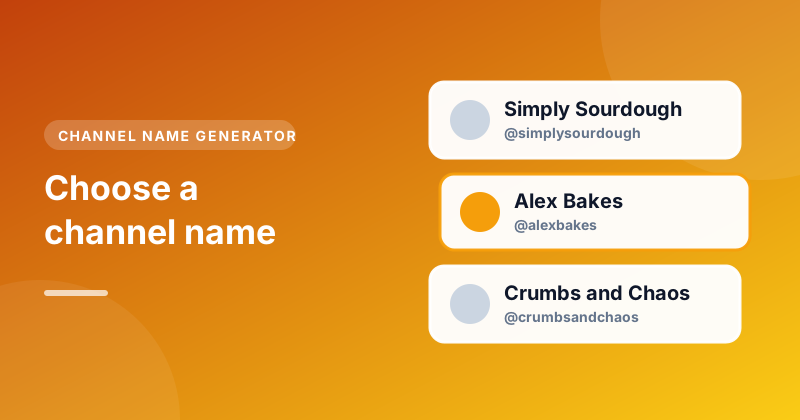
- Channel name is your display name, like "Alex Bakes". It can have spaces and doesn't have to be unique.
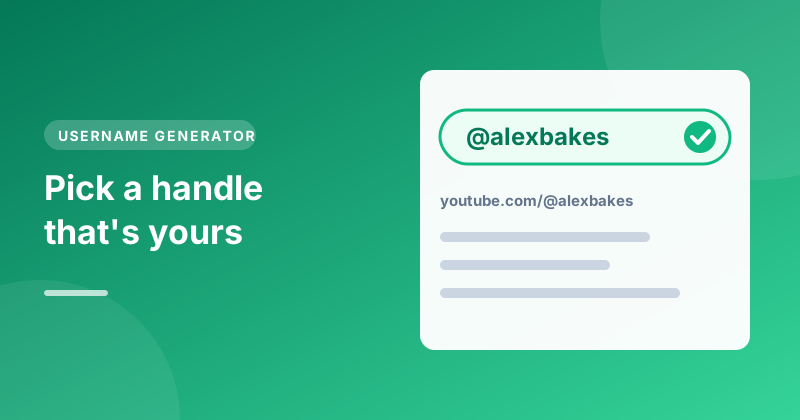
- Handle is your unique @username, like
@alexbakes. It's part of your channel's address,youtube.com/@alexbakes, and no other channel can have it.
Ideally they match, so people who know your name can find your handle. If you haven't picked a channel name yet, start with our guide on choosing a YouTube channel name.
The rules for a YouTube handle
A handle must:
- Be 3 to 30 characters long
- Use only letters, numbers, underscores (_), hyphens (-) and full stops (.)
- Be unique, not already used by another channel
- Not look like a web address or phone number
- Follow YouTube's Community Guidelines (no offensive words or impersonation)
Handles aren't case-sensitive for uniqueness: @AlexBakes and @alexbakes are the same handle. You can use capitals to make it easier to read, though.
Every idea from the Username Generator already follows these rules, so you won't fall in love with one YouTube won't accept.
What makes a good handle
- Short. It's typed in mentions and comments, so every character counts. Aim for under 15 if you can.
- Easy to read.
@alexbakesbreadis clear.@a1ex_b4kes__is not. Avoid strings of numbers and underscores unless they mean something. - Close to your channel name. People should be able to guess it.
- Built to last. Avoid years, ages or anything you might grow out of.
- Consistent across platforms. If you can get the same handle on other social networks, people can find you anywhere with one name.
Find one that's free
In the Username Generator:
- Type your name, a nickname or what your channel is about, for example "Alex cooking".
- Pick a style: Cool, Funny, Professional, Gaming or Aesthetic.
- Press Generate usernames to get a list of ideas.
- Press Check next to one you like. It opens
youtube.com/@followed by that handle. If YouTube says the page isn't available, nobody has that handle yet.
When you find a free one, press Copy and set it in YouTube Studio straight away, before someone else claims it.
What to try when your handle is taken
If the exact handle you want belongs to someone else, these small changes usually work without making it hard to remember:
- Add your niche:
@alexbakes→@alexbakesbread - Add a short word:
@alexbakeshq,@alexbakestv,@thealexbakes - Use a separator:
@alex.bakesor@alex-bakes. These are valid, though people may forget the punctuation when typing. - Use your full name:
@alexmorganbakes
Avoid simply adding random numbers (@alexbakes4821). It works, but nobody will remember it and it can look like a spam account.
How to set or change your handle
On a computer, open YouTube Studio, choose Customisation, then Basic info, and edit the Handle field. On the YouTube app, you can change it from your channel page by tapping the pencil icon. YouTube shows whether the handle is available as you type.
You can change your handle twice in 14 days. When you change it, your old handle may be released for someone else to claim, and links using the old one may stop working, so update the links in your other profiles and descriptions.
Why your handle matters more than you'd think
Your handle appears in places your channel name doesn't. When you comment on another video, viewers see your handle. When someone mentions you in a comment or a Short, they type your handle. And your channel's link uses it, which is what you'll share in bios, emails and business cards. A clear handle makes all of that easier.
Comments are also how many people discover a channel. Thoughtful comments on bigger videos in your niche, with a clear handle, can bring curious viewers to your channel. If you've ever wondered where a past comment of yours went, our Comment Search tool can find it on any video by your name or handle.
Quick checklist
- 3 to 30 characters, letters, numbers,
_,-and.only - Short, easy to read and close to your channel name
- No years or random numbers
- Checked on YouTube, and ideally free on your other platforms too
- Set in YouTube Studio as soon as you find it